
Tofu’s Inbound Landing Pages feature is an excellent way to personalize the experience for your audience and maximize the value of your campaigns. This guide walks you through the setup and key details to ensure a smooth launch.
What Are Inbound Landing Pages?
Inbound Landing Pages are a feature in Tofu that allows you to create personalized landing pages for users arriving at your site via ads or other inbound traffic sources. Using IP matching, Tofu can identify visitors from your target list and serve a customized version of your landing page. If a visitor cannot be matched, they will see the default landing page.
Getting Started
1. Activate the Feature
Inbound Landing Pages are included in all Tofu plans, but the feature must be activated manually by the Tofu team. To enable it for your account:
- Reach out to the Tofu team through your support representative or contact support@tofuhq.com.
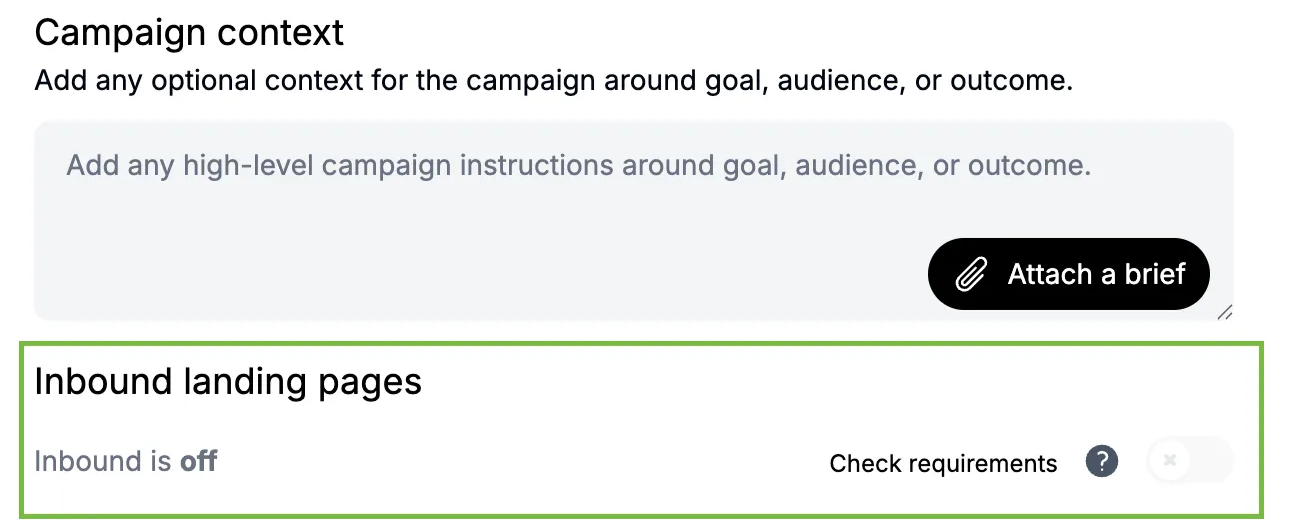
- Once activated, you’ll see the toggle for this feature in your campaign settings.
2. Requirements for Using Inbound Landing Pages
To use this feature, ensure the following conditions are met:
- Use Company Targets from an Imported List. Your campaign’s target list should include companies you’re planning to engage.
- The List Must Have Each Company’s Website. Each company in your imported list must include a “Website URL” (e.g.,
examplecompany.com). - Have a Landing Page in the Campaign. Ensure you’ve added a landing page to your campaign. This feature is designed for landing pages exported using the Tofu embed option.
How to Configure
- Set Up Your Campaign
- Import your target list, including all required fields (company name and website URL).
- Add a landing page to your campaign—the page you want all inbound traffic to land on.
- Enable the Toggle
- Once the feature is turned on, navigate to your campaign settings and locate the Inbound Landing Page toggle.
- Turn it on to enable the feature for your campaign.
- Personalization
- Tofu will use IP data to match visitors from your target list and display their personalized landing page.
- Visitors not matched will be shown the default page you selected for your campaign.
Best Practices
- Prepare for Traffic Mismatches
- IP matching identifies about 10% of incoming traffic. While this percentage may seem low, it still adds significant value by personalizing high-value visits.
- Ensure you have clear default messaging for unmatched visitors to maintain consistency.
- Campaign Optimization
- Use this feature for campaigns where you’ve already decided to invest in ads or inbound traffic strategies. It adds value without requiring additional budget.
FAQs
Q: What happens if a visitor’s IP isn’t matched?
Visitors with unmatched IPs will be directed to your campaign’s default landing page.
Q: Is this feature available for all campaigns?
Yes, as long as you’ve enabled the feature through the Tofu team and the campaign includes valid company targets and landing pages.
Q: Can I use this feature with any ad platform?
Yes, as long as you input the correct destination URL when setting up your ads. For additional guidance, consult your ad platform specialist.